


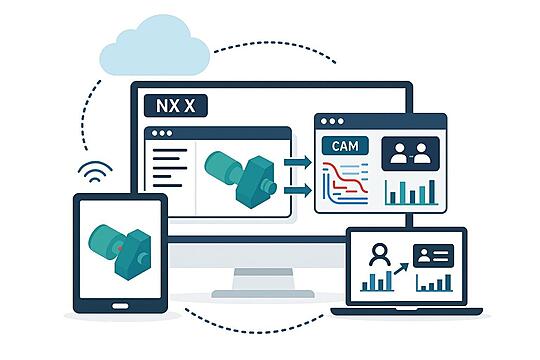
NX Power, Cloud-Connected

Flexible SaaS Licensing
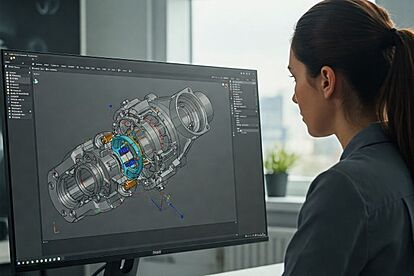
Cloud Collaboration
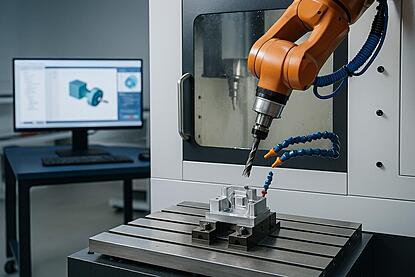
Connected Manufacturing
Continue from design to manufacturing with full CAD & CAM capabilities integrated into your engineering workflows.
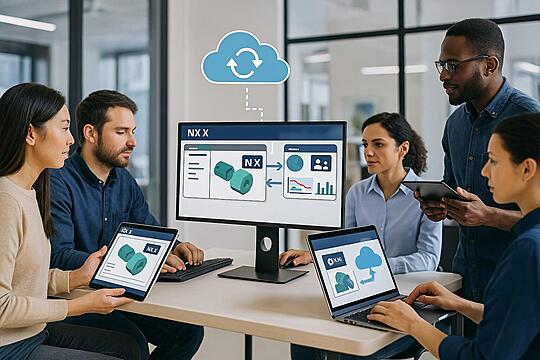
Why NX X with ProductSpace?
- Cloud-native platform—access NX tools from anywhere, anytime
- Real-time collaboration across teams and devices
- Seamless updates, secure data, and low IT maintenance
- Ideal for startups, agile teams, or organizations looking to scale quickly
- Subscription-based pricing models (XaaS) for maximum flexibility
Deciding Between NX and NX X?
| Feature | NX (Traditional) | NX X (Cloud-Connected) |
| Deployment | On-prem or local install | SaaS / Cloud-based access |
| Licensing | Perpetual, Subscription | Subscription |
| Data Management | Local / Enterprise Network | Built-in data management (Cloud) |
| Ideal for | Enterprises with existing on-premises infrastructure | Agile, distributed or growing teams seeking fast, flexible setup |
| Value Based Licensing | Yes | Yes |
Accelerate Innovation with the Digital Twin
Learn how the Siemens Digital Industries Software platform and NX™ empower engineering teams to collaborate across domains, drive simulation-led design, and shorten time to market. This free whitepaper dives deep into configuration-driven product development—available now as a quick download.
Succeeding Together
Our Services & Key Benefits
ProductSpace · Expert guidance
Siemens NX X — practical planning and FAQs
NX X is Siemens’ cloud-enabled NX offering within the Designcenter portfolio, combining engineering software with cloud services. ProductSpace helps teams evaluate NX X, discuss licensing and deployment requirements, and plan training and support.
Plan your next step
- Compare editions against the modeling and collaboration tasks your team performs.
- Confirm desktop or browser requirements, operating systems and connectivity for the selected offering.
- Review product data workflows and your existing PLM connections before changing deployment models.
Frequently asked questions
What is Siemens NX X?
NX X is Siemens’ cloud-enabled NX offering within the Designcenter portfolio, combining engineering software with cloud services.
How does ProductSpace help with Siemens NX X?
ProductSpace helps teams evaluate NX X, discuss licensing and deployment requirements, and plan training and support.
Does cloud-enabled CAD mean every workflow runs in a browser?
Deployment requirements depend on the selected offering and edition. Confirm desktop, browser, hardware and connectivity requirements with the product documentation before choosing a configuration.
Latest Blogs
Loading the latest PLM articles…